A checklist that fits your move
Choose your branch and component, PCS, separation or retirement, household, dependents, pets and moving arrangements. Include overseas and special planning needs where applicable.
From new orders to a new chapter, EZ PCS helps you organize a PCS, separation or retirement around your service, household and plans.
By Ease App Studio · Formerly Waypoint PCS
An independent planning aid. Your orders and official installation requirements remain the authority.
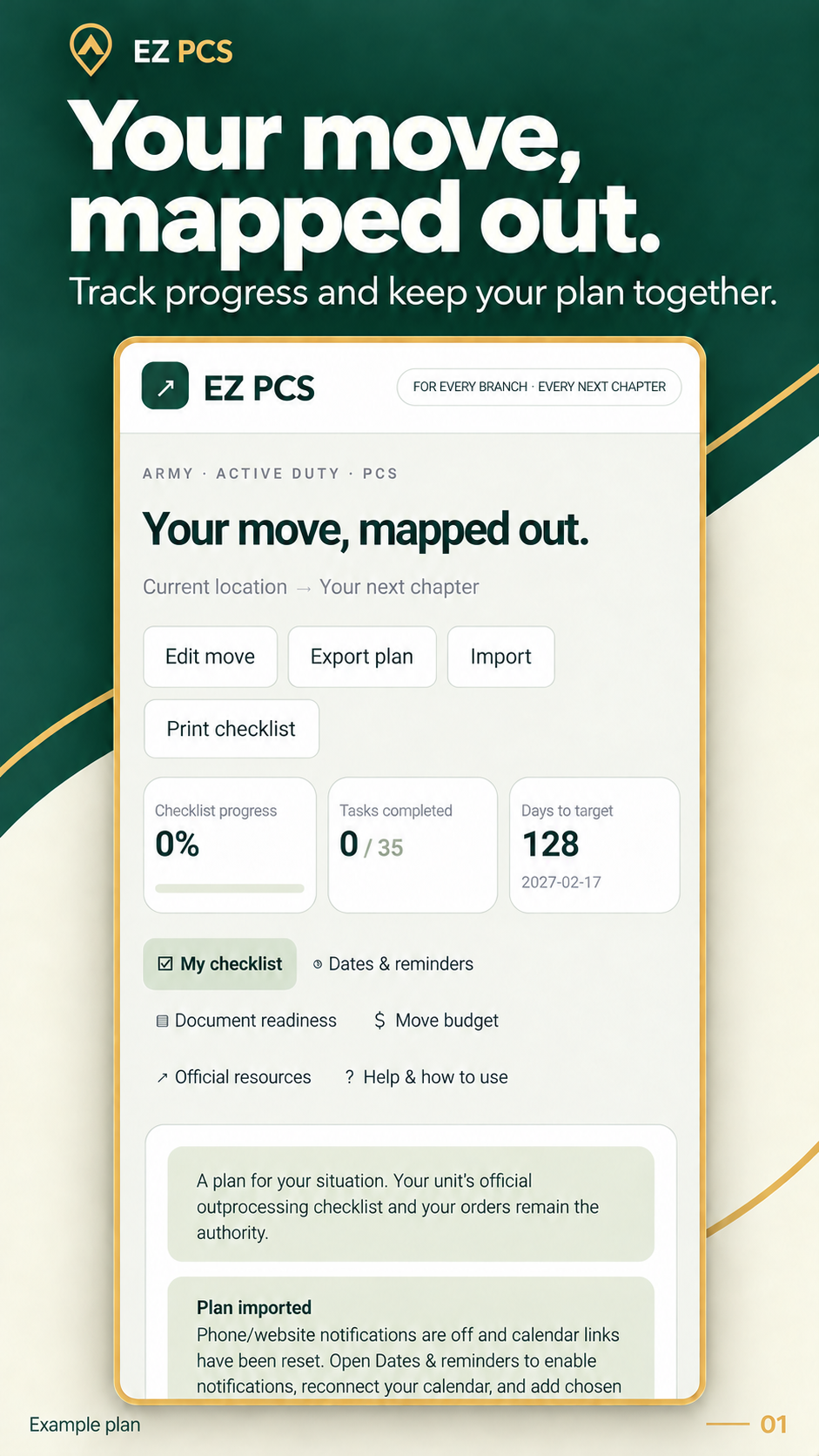
Personalized checklists, travel planning, calendar events, reminders and a practical budget help you keep your next move organized.
Choose your branch and component, PCS, separation or retirement, household, dependents, pets and moving arrangements. Include overseas and special planning needs where applicable.
Add custom tasks, notes, office contacts, locations and reference details. Track tasks as open, waiting, complete or not applicable, and add follow-up dates when you need a response.
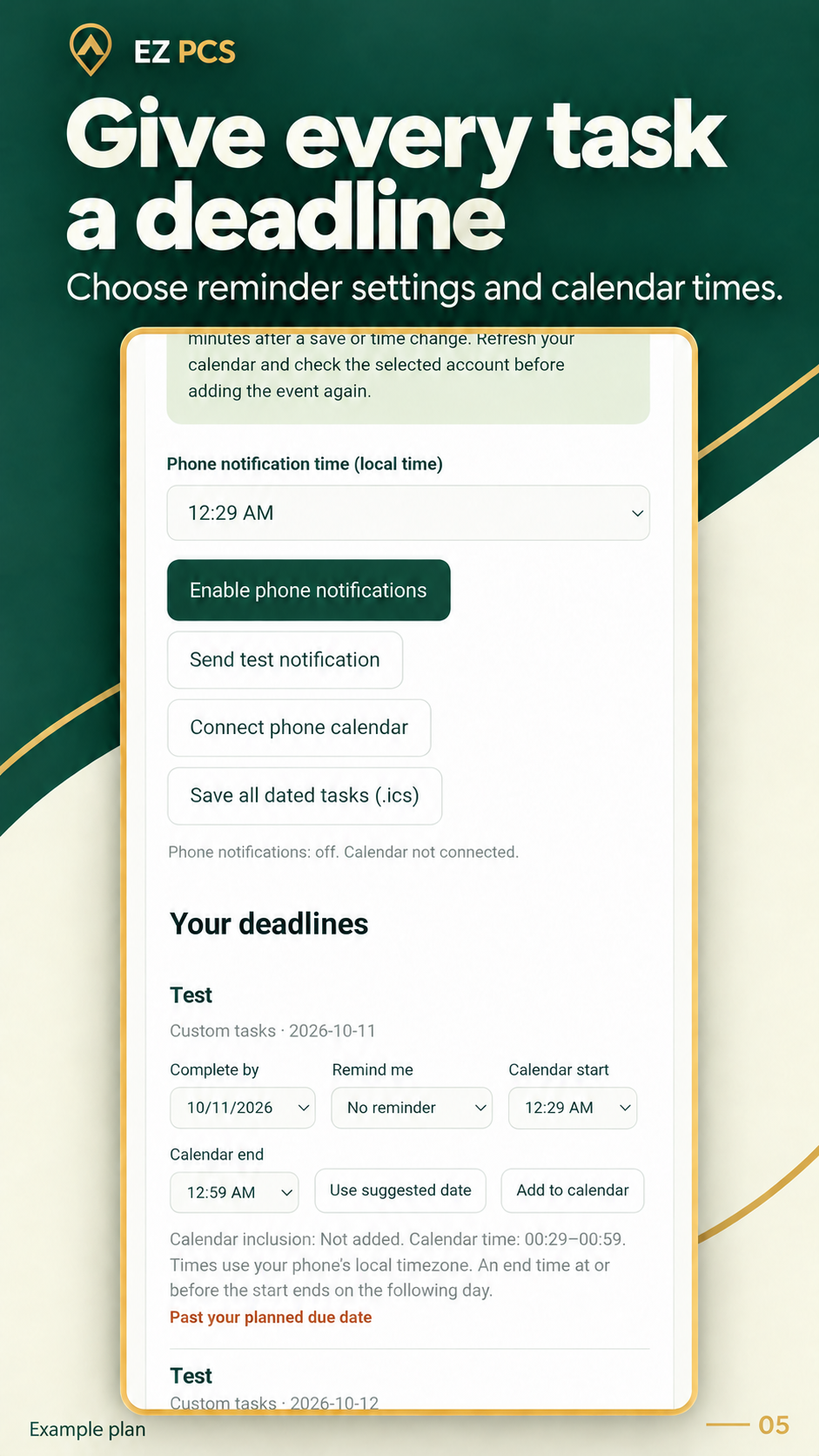
Set task deadlines and calendar start and end times. Keep separate milestones for departure, separation, terminal leave, packing, delivery and other important dates. Preview suggested dates before applying them.
Enable optional Android task notifications and choose reminder settings. Calendar event times and phone reminder times are separate. Android settings and battery restrictions can affect delivery.
Connect an Android calendar and explicitly add selected tasks. Update linked events as plans change. Google and other account calendars sync through Android; changes may take time to appear.
Enter route distance, estimated driving hours and minutes, preferred driving hours per day, trip days and overnight stays. Open your route in Maps to check its estimate; route details are entered manually.
Use distance, vehicle count, fuel economy and fuel price for a fuel estimate. Plan lodging by overnight stays and meals by trip days, then choose whether to copy estimates into your budget.
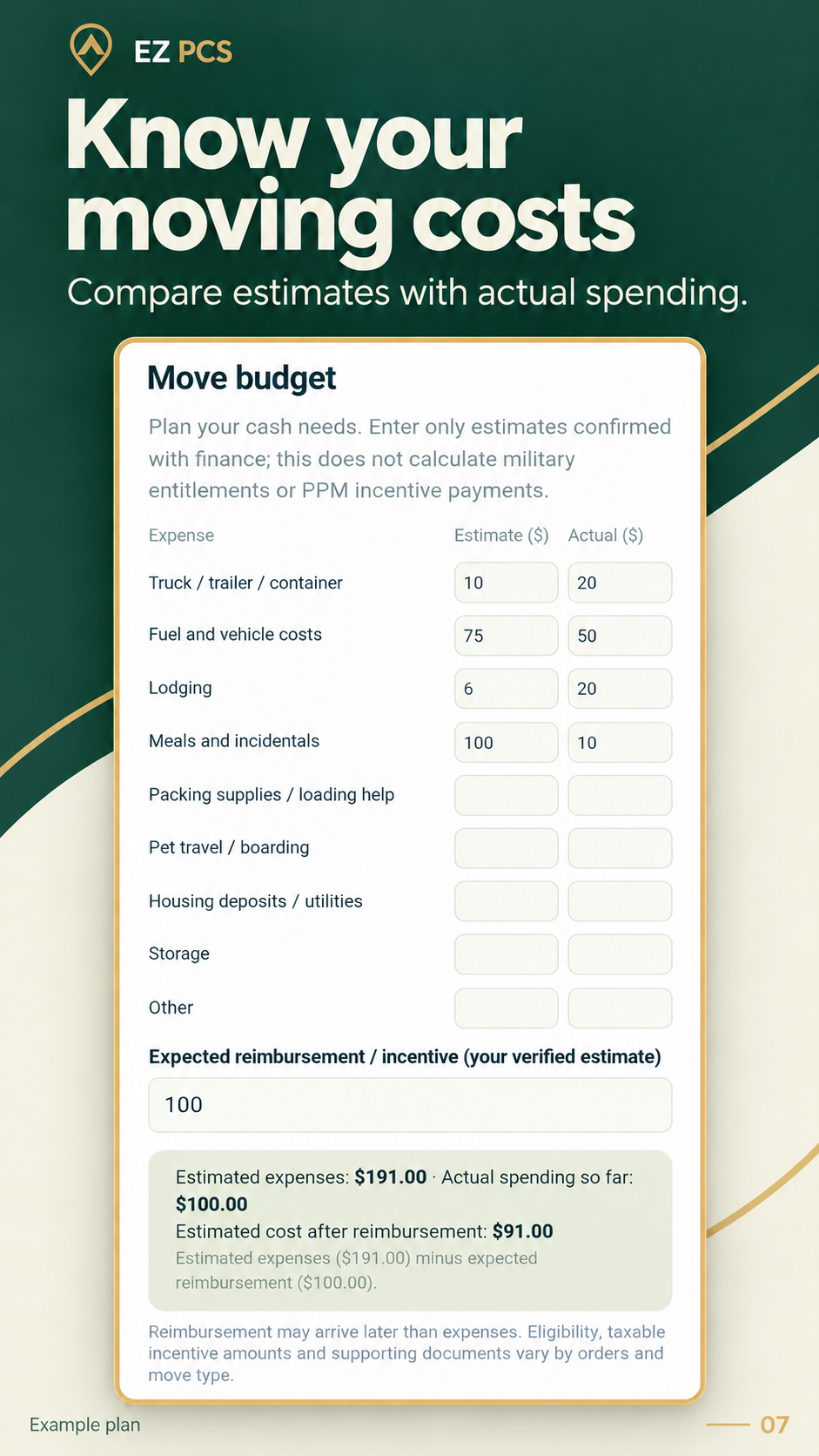
Track estimated expenses, actual spending and expected reimbursement separately. Estimated cost after reimbursement subtracts your verified reimbursement estimate from estimated expenses. This is a planning budget, not an entitlement calculation.
Organize transition tasks, medical-record preparation, coverage questions, final documents and VA disability claim planning. Record relevant dates and find official resources and accredited assistance. EZ PCS does not file claims or predict ratings.
Use document-readiness checks to keep track of what you have prepared. Your orders and sensitive records stay outside the checklist; readiness checks do not require document uploads.
Save or open a checklist PDF, print with Android, and export a JSON backup. Import a backup to restore or transfer a plan. Core planning features work offline; external links and account synchronization need connectivity.
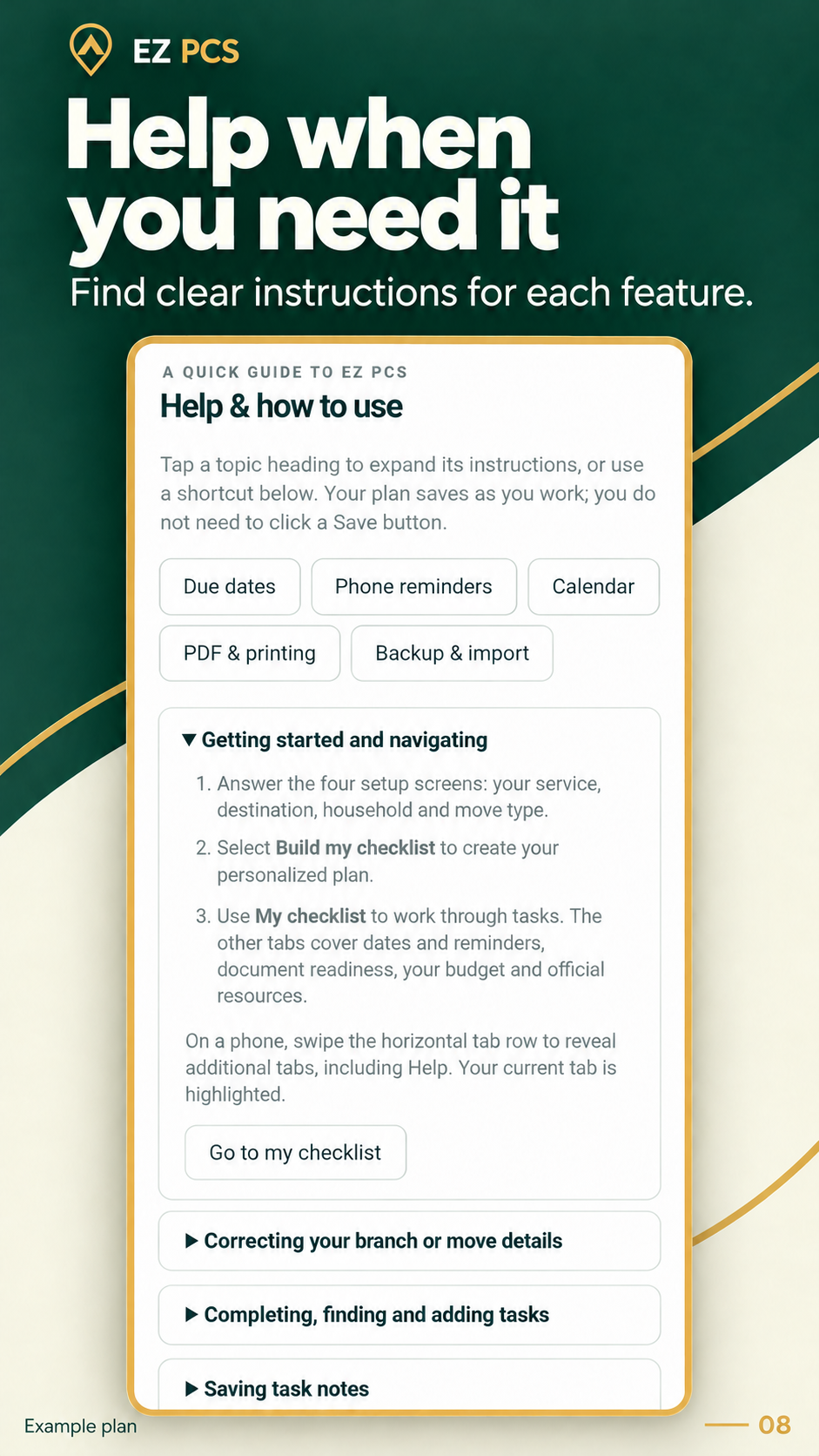
Find guidance for navigation, due dates, reminders, calendars, PDFs, backups and starting a new move. Edit your existing move to retain progress, or start a fresh plan with clear reset choices.
Government-arranged household goods, a full personally procured move or a partial PPM: organize the steps that apply to you, including family and pet planning.
Choose your service, next chapter, destination, household and moving arrangements.
Add dates, milestones, custom tasks and appointment details. Connect reminders and a calendar when useful.
Track progress, estimate travel costs, record spending and save a backup as your plans change.
Example screens for deadlines, budgeting and in-app help. Select an image to view it at full size.
EZ PCS has been tested on an Android phone, and its Google Play closed testing release has been submitted for review. Public release is not available yet.
Once the closed release is approved and available, invited testers will receive an opt-in link from the developer. Signing in with an email address on the tester list is required to join that test.
There is no purchase or checkout on this website. Final pricing and availability will be shown on Google Play when the public release is ready.
Contact Ease App Studio ↗Created by Connor Boyd.
Practical tools for everyday planning.
EZ PCS helps service members and their families turn a complex move or transition into manageable steps. It combines flexible planning tools with links to official resources so you can confirm requirements with the right offices.
EZ PCS is not affiliated with or endorsed by the U.S. government or any military branch. The app does not approve travel, determine entitlements, file VA claims or provide medical or legal advice. Your orders, installation instructions and the responsible agencies control requirements and eligibility.
Yes. EZ PCS is the new name for Waypoint PCS. The planning features continue under the new branding. Existing Waypoint website and privacy-policy links remain supported.
The closed testing release is currently awaiting review. It is not a public launch. Once available, eligible invited testers can use the developer’s opt-in link. Public availability will be announced after the required testing and release process.
The Android app schedules local notifications after you enable them and grant the required permission. Android notification settings, battery restrictions and force-stopping the app can affect delivery. Phone reminders and calendar alarms are separate; test them on your device.
You choose from calendars available through Android’s calendar provider. Explicitly add the tasks you want included. If you choose a Google or other account calendar, Android and that provider handle synchronization. A local save does not confirm cloud upload, and changes may take time to appear.
No. Travel costs are planning estimates based on values you enter. Check distance and estimated travel time in your mapping app, then enter them in EZ PCS. Confirm authorized mileage, travel days, allowances and reimbursements with your orders and transportation or finance office.
It helps organize claim preparation and relevant dates and links to official VA resources. It does not submit a claim, determine eligibility or estimate a disability rating. Use the VA’s official process and an accredited representative for individual assistance.
Your plan saves on the device you use. EZ PCS does not automatically synchronize plans between devices. Export a JSON backup to transfer or restore a plan. Import replaces the current plan and resets notification and calendar connections; reconnect those features afterward. External calendar events and exported files need separate management.
You can view and edit your saved checklist, notes, dates and budget offline. External websites, map information, app downloads and account calendar synchronization need an appropriate connection. Calendar availability also depends on the selected provider and device settings.
Start with the app’s Help tab. For support, email easeappstudio.support@gmail.com with your app version, phone model and a description of what happened. Avoid sending sensitive records or personal information you do not need to share.
Get in touch with Ease App Studio or read how your information is handled.